Here is a story that might hit home. This story is a fable written to show the full impact of this deep dive.
The Story
A few months after we passed our assessment, I remember sitting in a meeting looking at dashboards that, on the surface, looked exactly the way they were supposed to.
Green across the board.
Logs flowing.
Alerts configured.
Backups scheduled.
If you had walked in at that moment and asked, “Are you operating your controls continuously?” the honest answer would have been yes.
But something didn’t feel right. Not because anything was obviously broken; because we hadn’t started the full cadence since the assessment ended.
That’s when we started digging.
The first thing we checked was logging. Not just whether it was enabled, because we knew it was, but whether it was still flowing end to end. We picked a few systems and traced the logs. From the device… into the collection point… into the SIEM… and that’s when we found it.
One of the integrations had silently stopped sending logs earlier that week. No alerts, no obvious gap, just… missing data. That was the moment it clicked for us. Continuous doesn’t mean configured. It means operating, right now, without gaps. So we started rebuilding our thinking around that idea.
We moved to backups next with the same approach; don’t assume, verify. We didn’t just look at the report that said jobs were “successful.” We pulled specific backup jobs and asked a simple question: if we needed this right now, would it actually restore? That turned into a habit we still recommend today.
Pick one system every so often and walk the whole path. When did it last back up? Where does it live? Could someone else on your team restore it without guessing?
Because backup failures rarely show up loudly. They show up when you need them most; and by then, it’s too late.
Then we looked at alerts. At first, everything seemed fine. There were alerts firing, notifications coming through, tickets being created. But when we dug in, we noticed something else: too many alerts. The team had started to tune them out. So, we changed the question. Not “Are alerts configured?” but “If something real happens, will someone notice and act?”
That led us to tighten rules, reduce noise, and (this part matters) make sure every alert had a clear owner; someone who knew that if it fired, it was theirs to respond. Because continuous monitoring without ownership is just background noise.
We saw the same pattern on endpoints; agents installed, policies applied, devices reporting. Until they weren’t. We started randomly spot-checking devices. Is it checking in? Is it compliant? Is it enforcing policy right now? And every time we found a gap, we asked the same question: “How long has this been broken without us knowing?”
That question becomes your forcing function. Because most of the time, nothing fails all at once. It drifts.
This is exactly what we talked about in last week’s cadence post; a log source drops, an agent stops reporting, an alert gets disabled during troubleshooting, a backup starts failing after a change, and everything still looks fine for a while.
That’s the danger of “always on.” It gives you the illusion of coverage unless you deliberately verify it.
Actions for Change
Here’s the shift to make and what we’d recommend anyone reading this start doing immediately.
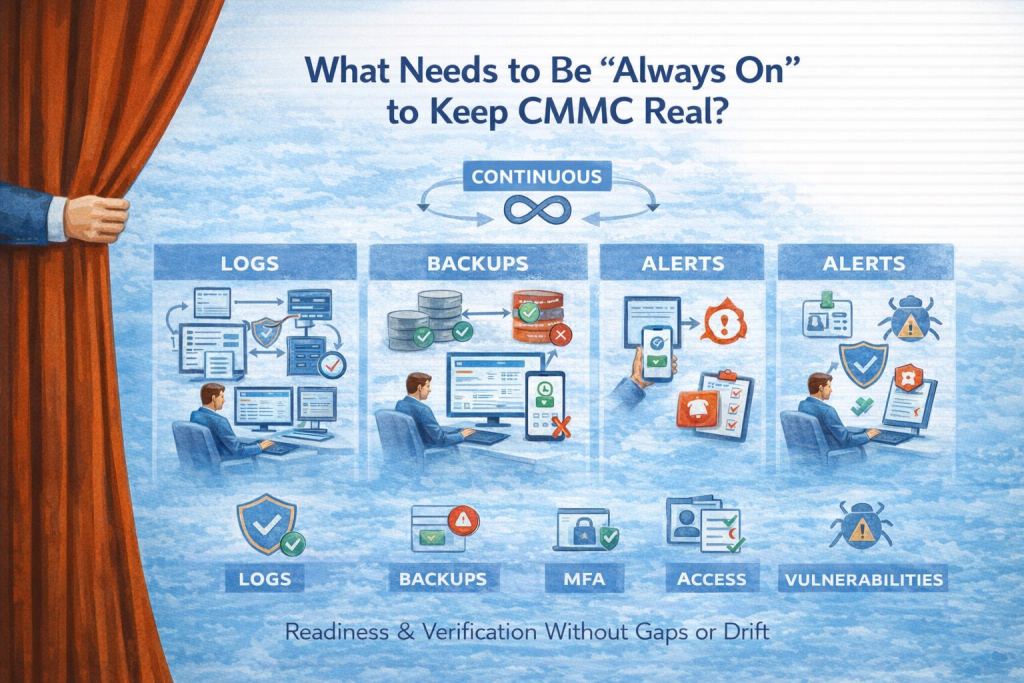
We stopped trusting dashboards at face value. Instead, we built a simple habit into our operations. What are the biggest “continuous” priorities for most CMMC Level 2 environments?
These are great places to start!
· Logging and Alerting
· EDR / antivirus
· MFA enforcement
· Access enforcement
· Vulnerability visibility
· Configuration drift detection
· Backup job health
· Suspicious activity monitoring
· Incident response readiness
Pick something that’s supposed to be continuous and prove to yourself that it’s actually working right now. Trace a log from source to destination. Pull a backup and confirm it’s usable. Take a recent alert and walk through how it was handled. Grab a device and validate its real-time state.
Don’t do all of it at once. Just do one thing consistently, then another. Build out a plan to handle everything on a regular schedule. Because what you’re really testing isn’t the tool. You’re testing whether your visibility itself is intact.
And this is where it all ties back to cadence. Continuous controls generate the signal. But it’s your regular rhythm (especially weekly) that turns that signal into confidence. Without that connection, continuous becomes passive, and passive controls are where compliance starts to drift.
The biggest lesson in all of this was realizing that the risk isn’t that controls disappear; it’s that they slowly stop telling you the truth about your environment. And if you can’t trust what you’re seeing, you can’t prove anything else.
That’s why this layer matters so much.
Because before you worry about monthly reviews, quarterly testing, or annual affirmations…
You have to answer a much simpler question.
Right now, at this moment… Are the things that are supposed to be “always on” actually working? Or are they just supposed to be?
Next week’s deep dive: The Weekly Cadence That Keeps CMMC Real. We’ll get practical about the rhythm that turns “always on” controls into something you can actually trust, from weekly checks and ownership reviews to the small habits that keep drift from turning into risk.
Questions about CMMC certification? Contact Hill Tech Solutions.